



Know when you can keep going.
See your active quota windows and reset countdowns together. Choose used or remaining percentages to match how you think.
A LITTLE CLARITY. A LOT MORE FOCUS.
Codex and Claude Code quotas, reset times, and usage trends. Right in your Mac menu bar.
macOS 14+ · Free and open source
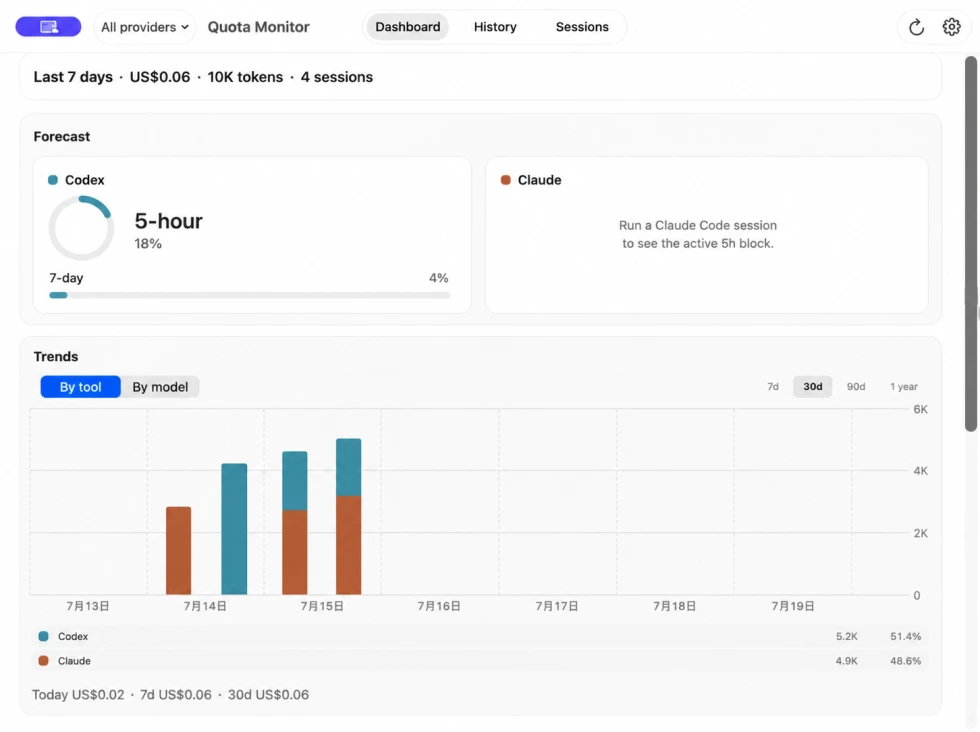
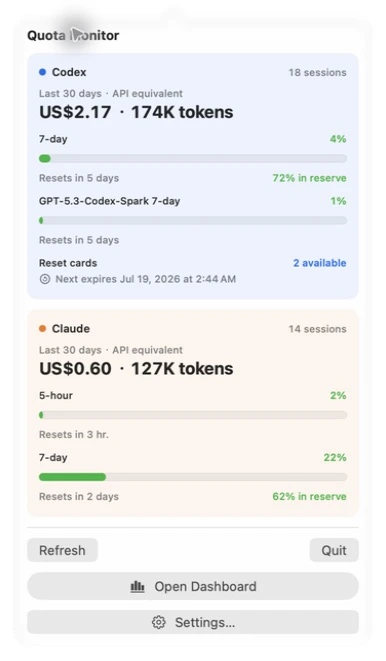
A quiet menu-bar readout. A complete dashboard when you need it.
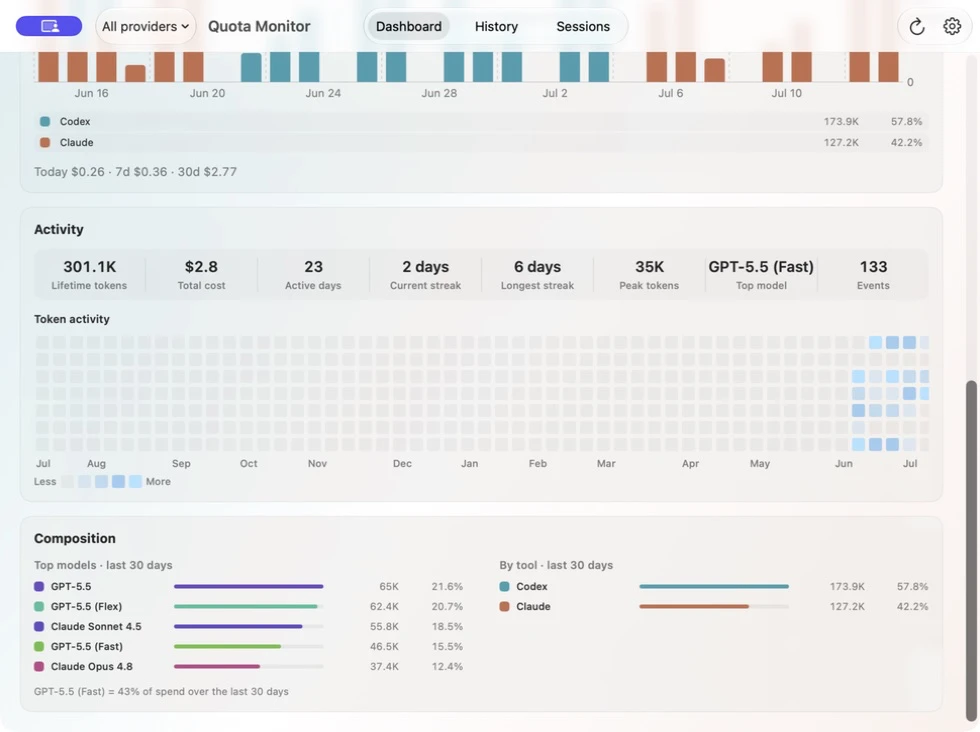
Move from 7-day detail through yearly history, then use burn-rate projection, activity, and composition to understand where usage is heading.
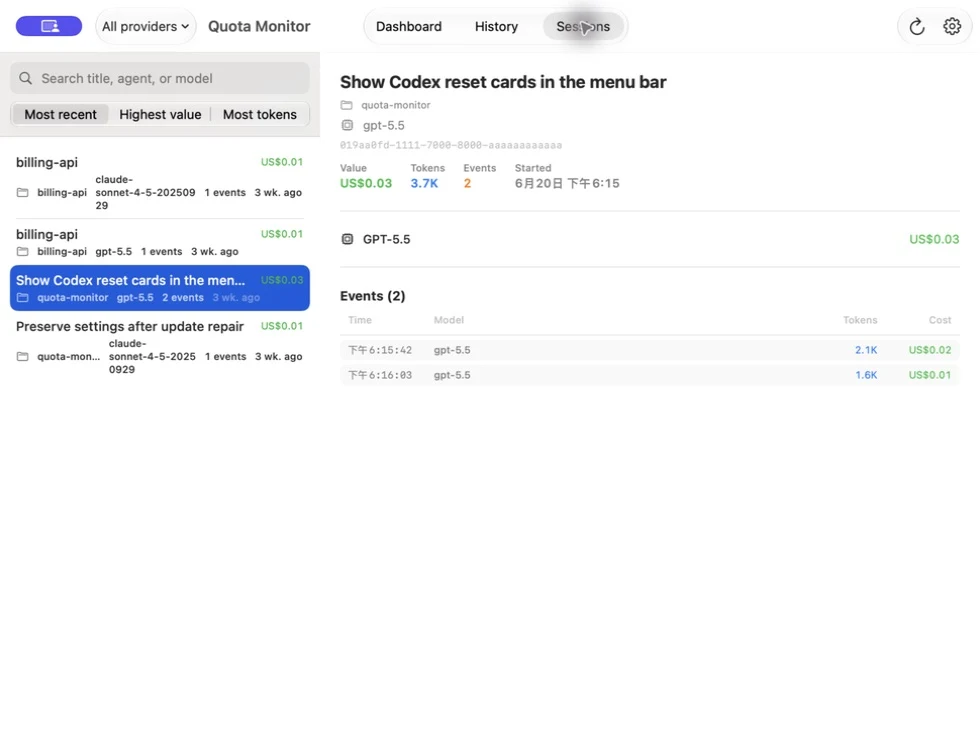
Search and sort sessions, then review models, token details, event timing, and API-equivalent cost estimates.
Real app. Demonstration data.
Click an image to view it full size
See your active quota windows and reset countdowns together. Choose used or remaining percentages to match how you think.
Review token trends, model composition, and session details. Your history is indexed on your own Mac.
A CLEARER PICTURE
Move from the big picture to individual models and speed tiers. See Standard, Fast, and Ultrafast usage separately, with cached-token trends alongside.
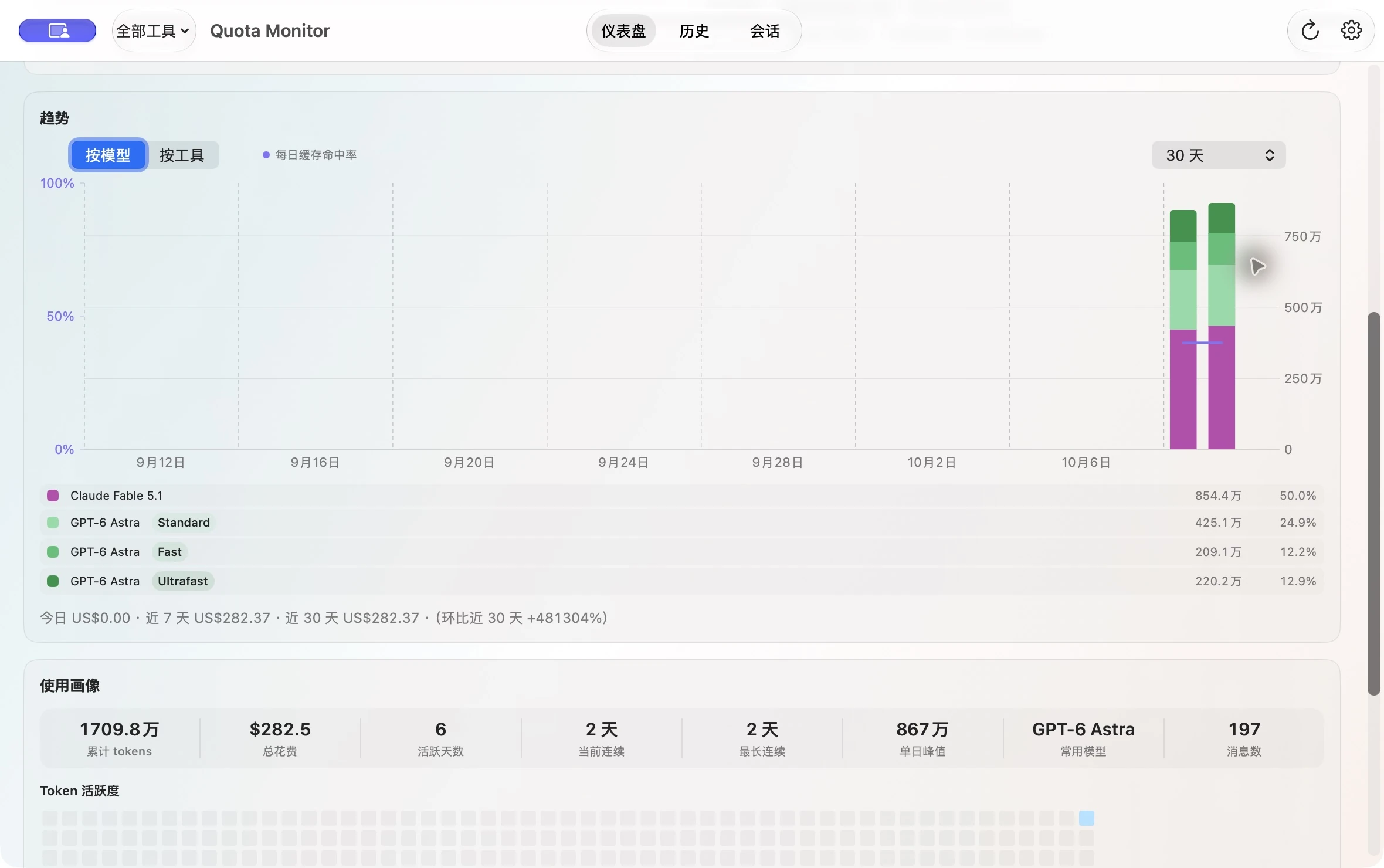
Real app. Demonstration data.
Click an image to view it full size
Local history. Clear boundaries.
Quota history stays on your Mac. Anonymous version statistics are documented in the privacy policy.
Live quota refresh contacts the corresponding Codex or Claude Code provider services; that traffic is separate from anonymous statistics.
The check-in JSON payload contains only six documented fields, and neither it nor the D1 raw or aggregate datasets contain a stable installation or device ID. The service is not designed to link installations across UTC days; Cloudflare network processing is disclosed separately in the full policy.
READY WHEN YOU ARE
Download the current signed and notarized DMG. No account required.
Drag QuotaMonitor into Applications, then open it.
Choose Codex, Claude Code, or both. Pick your preferred menu-bar display.
Yes. QuotaMonitor is free and open source under the MIT license. Provider subscriptions and API usage are separate.
No. API-equivalent estimates help you understand usage. They are not subscription charges or a provider invoice.
QuotaMonitor shows the windows the provider currently supplies. Missing windows are omitted instead of being filled with stale data.
QuotaMonitor requires macOS 14 or later. The official release is Developer ID signed and Apple notarized.

